
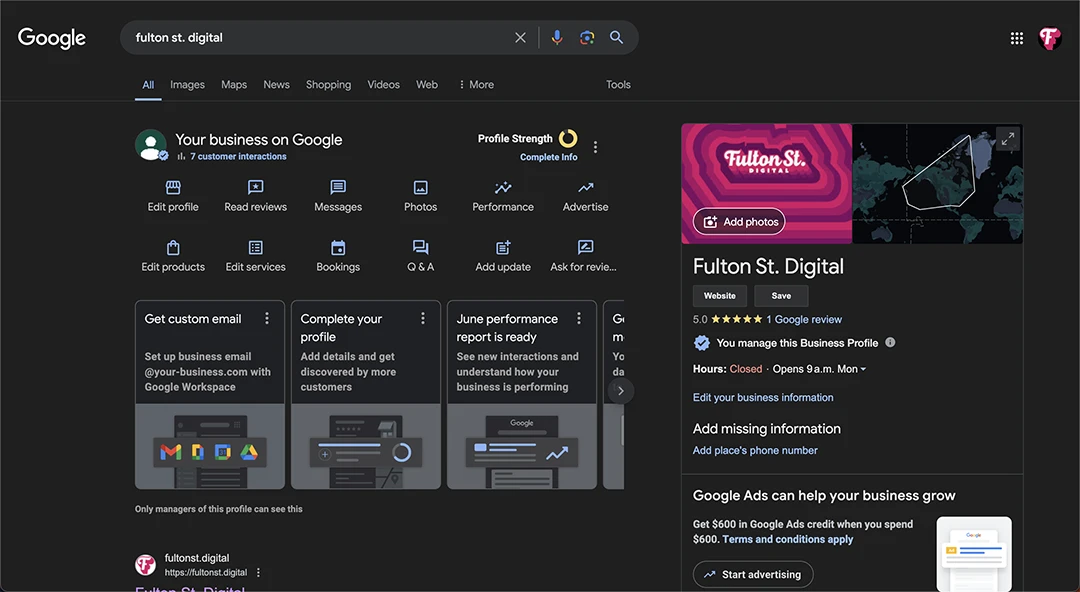
In the digital age, a strong online presence is essential for small businesses to thrive. One of the most effective tools for enhancing this presence is a Google Business Profile.
This free listing not only boosts your visibility on Google searches and Maps but also provides a platform for customer interaction and enhances local SEO.
In this guide, we’ll walk you through the steps to create and optimize your Google Business Profile, ensuring your business attracts more customers and stands out in the digital landscape.
Preparing to Create Your Google Business Profile
Before you dive into creating your Google Business Profile, it’s important to gather all the necessary information. This includes your business name, physical address (if applicable), phone number, business hours, and photos that represent your business.
Additionally, choosing the right business category can significantly impact your visibility and should be approached carefully. Ensure you have all these details at hand to streamline the setup process.
Setting Up Your Google Business Profile
Step 1: Sign In to Google Business Profile
Begin by signing into the Google Business Profile (GBP) website. As long as you have a Google account, you should be able to just press the “sign in” or manage button on the GBP homepage.
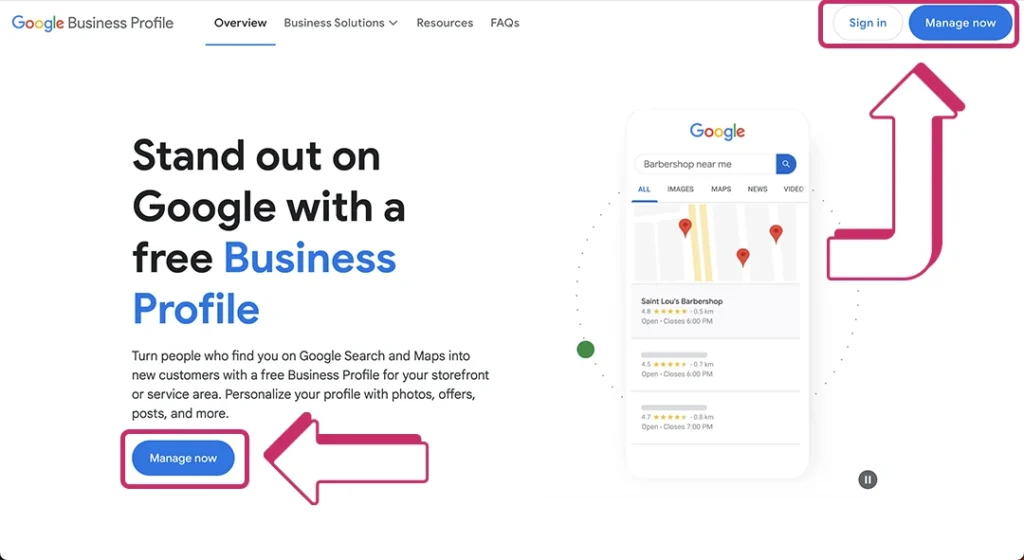
If you don’t have a Google account, you’ll need to create one using a current email address that you access frequently. This will be essential for managing your profile so that you stay on top of your notifications.
Step 2: Add Your Business
Once you’ve pressed “sign in”, you’ll be redirected to add your business information.
Make sure Google signed you into the correct account.
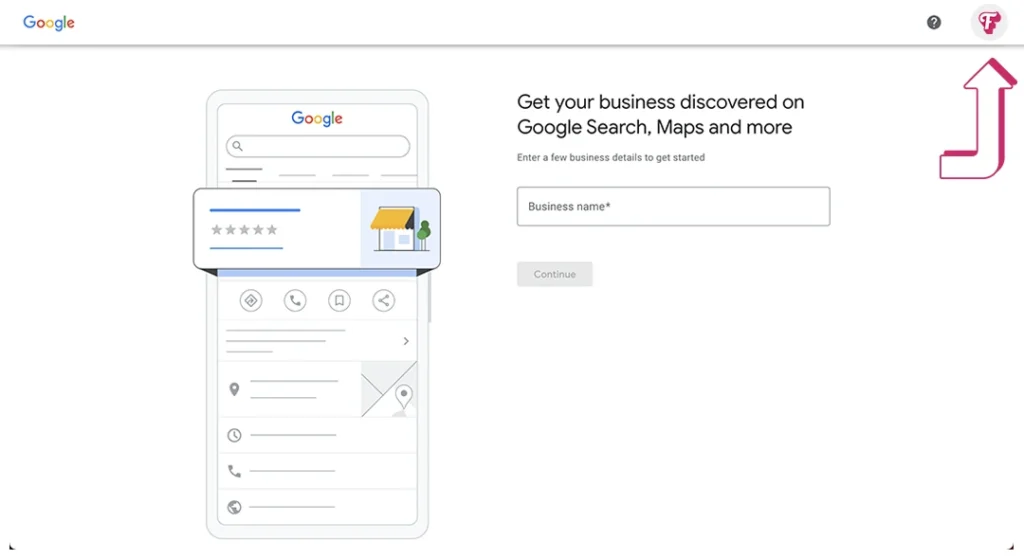
Accuracy is crucial here; make sure the details you provide match those used in other online profiles to maintain consistency.
This consistency helps improve your SEO and the credibility of your business.
Step 3: Verify Your Business
Google will need to verify that your business is legitimate.
Phone, text, email, or video verification might be available depending on your business category, and location.
The first three types usually involve providing a code, whereas the video verification requires you to video your location so that Google can confirm you are in fact operating where you are claiming to.
Verification can take a few days, so use this time to prepare for the next steps.
Optimizing Your Google Business Profile
Add Photos & Unique Descriptions
Once verified, enhance your profile by uploading high-quality photos and videos, and craft a compelling description incorporating relevant keywords. Also, consider adding attributes like “women-led” or “online appointments available” to further specify what makes your business unique.
Managing and Responding to Reviews
Reviews are pivotal in building customer trust and improving your profile’s SEO. Actively encourage satisfied customers to leave positive reviews and professionally respond to negative feedback, showing that you value customer input and are proactive in improving service quality.
Utilizing Advanced Features
Leverage advanced features such as posting regular updates about offers or news, using the Messaging feature to directly engage with customers, and even integrating your profile with Google Ads for more extensive reach and impact.
Maintaining and Updating Your Profile
Your Google Business Profile is not a “set it and forget it” tool. Regular updates to your business hours, services, and posts, along with monitoring how customers interact with your profile, are essential for maintaining an engaging and current profile.
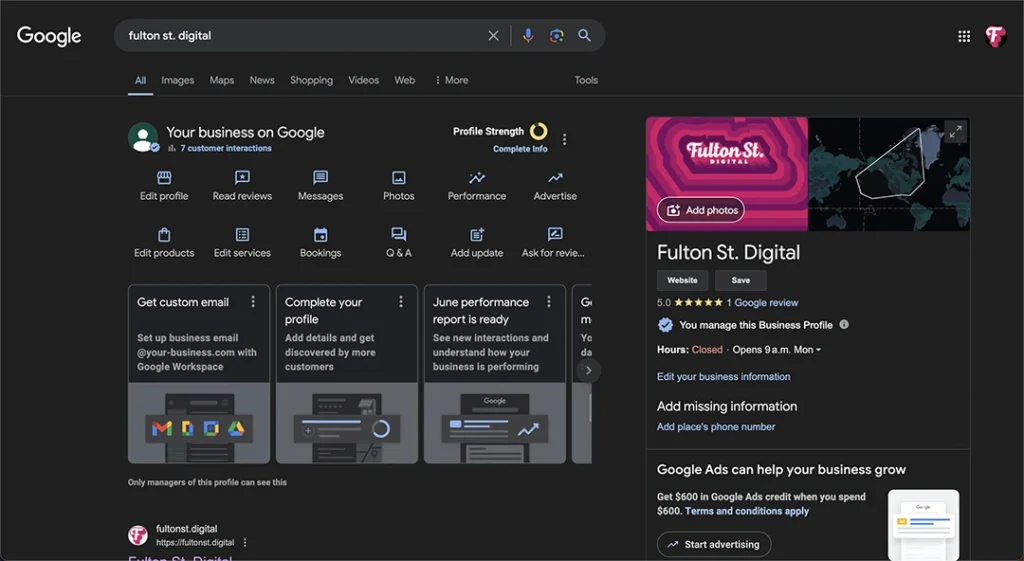
Stay updated with Google’s new features and continuously optimize your profile for the best results.
Conclusion
Creating and maintaining a Google Business Profile is an ongoing process that can significantly contribute to your business’s success. By following the steps outlined in this guide, you can ensure your business not only appears in search results but also stands out from the competition. Remember, the digital world is always evolving, and so should your strategies to maximize your online presence.